Bricks Is Already Ahead of the Competition
Look at the page builder landscape right now and you’ll notice a clear trend: most builders are currently trying to add features like Flexbox, CSS Grid, CSS Classes, Components, cleaner code output, and more developer control. It’s become the direction the whole industry is moving in.
Elementor is the most prominent example. Their Editor V4 — their biggest overhaul in eight years, still in Alpha as of 2025, is described by the team themselves as a “philosophy shift” toward a CSS-first approach. They’re introducing reusable CSS Classes, Global Variables, and a class-based styling system for the first time. Divi is on a similar path, gradually moving toward cleaner code and more CSS control.
Worth Knowing
Most page builders are currently working on adding CSS-first workflows, reusable class systems, and cleaner code output. Bricks Builder has had all of this for years.
Clean Code Output — No Bloat
One of the biggest complaints about traditional page builders is the code they produce. Layers of unnecessary wrappers, inline styles scattered everywhere, and bloated markup that makes your site slow and hard to maintain.
Bricks takes a different approach. The HTML output is clean, semantic, and minimal. Here’s a simple example of what a Bricks section might render compared to a typical page builder:
Typical page builder output:
<section class="pb-section-wrap pb-section-wrap--default pb-element pb-element--section pb-element--id-abc123">
  <div class="pb-inner-wrap pb-inner-wrap--boxed pb-clearfix">
    <div class="pb-column pb-column--100 pb-element pb-element--column pb-element--id-def456">
      <div class="pb-column-inner pb-element-populated">
        <div class="pb-widget-wrap">
          <div class="pb-element pb-element--heading pb-element--id-ghi789">
            <div class="pb-widget-container">
              <h1>Hello World</h1>
            </div>
          </div>
        </div>
      </div>
    </div>
  </div>
</section>
Bricks output:
<section class="brxe-section">
  <div class="brxe-container">
    <h1 class="brxe-heading">Hello World</h1>
  </div>
</section>
The difference is night and day. Cleaner code means faster load times, easier debugging, and a more maintainable codebase — especially important for client projects.
Powerful Features That Give You Real Control
Query Loop
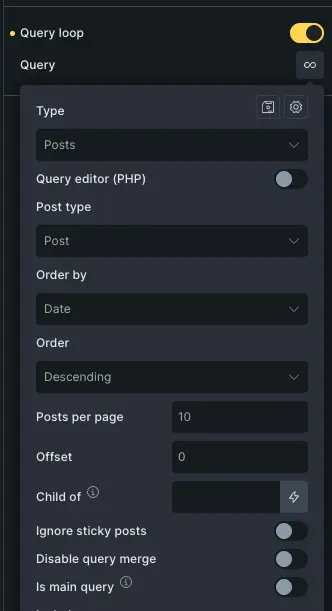
The Query Loop in Bricks is one of its most powerful features. You can build fully custom loops for posts, custom post types, taxonomies, or even custom queries — and design them exactly the way you want. No restrictions on layout, no forced templates. You decide the markup, the styling, the filters. Combined with dynamic data, this makes building complex archive pages, portfolio grids, or custom feeds completely flexible.
Flexbox & CSS Grid
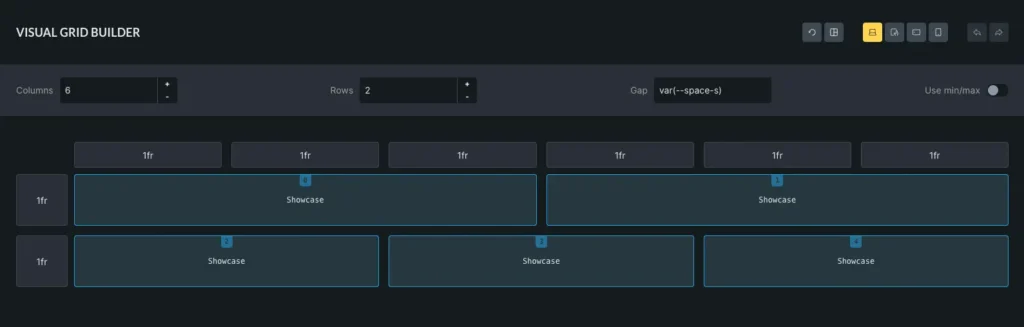
Layout control in Bricks is as close to writing CSS by hand as a visual builder gets. You can switch any container to Flexbox or CSS Grid and control every property directly in the builder — gap, alignment, grid-template-columns, you name it. If you know CSS, you’ll feel right at home. If you don’t, there’s a learning curve, but the payoff is complete layout freedom.
Components
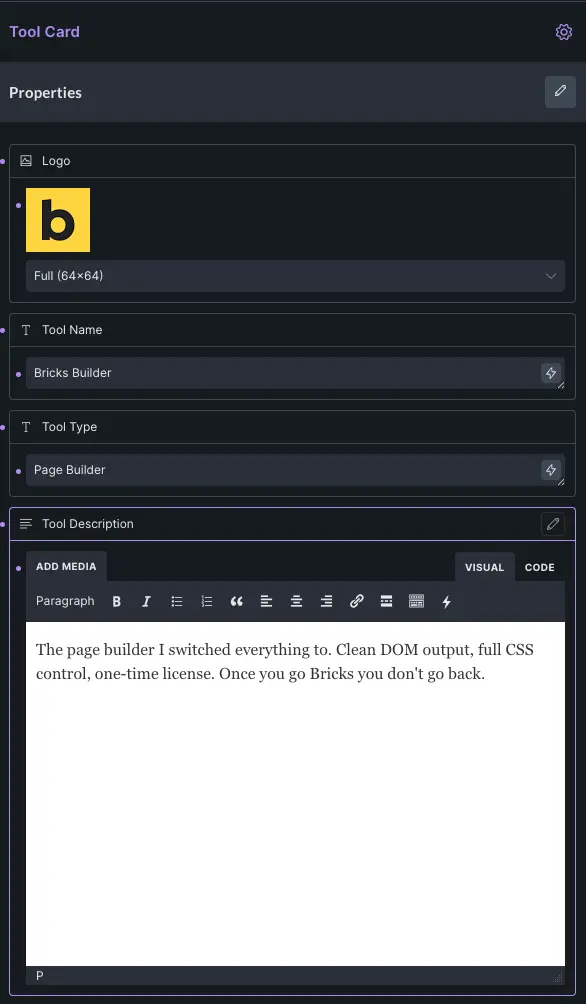
Bricks has Components — reusable building blocks that you can define once and use across your entire site. Change the component in one place, and it updates everywhere. This is essential for maintaining consistency across larger projects and speeds up development significantly. It’s the kind of feature that professional developers actually need, and Bricks delivers it natively.
Multi Select
One small feature that saves a lot of time: Multi Select. You can select multiple elements at once in the builder and edit shared properties in one go. Change the font size, padding, or color across ten elements simultaneously. It sounds like a small thing until you’re building a real project and realize how much time you’ve been wasting making the same change one element at a time.
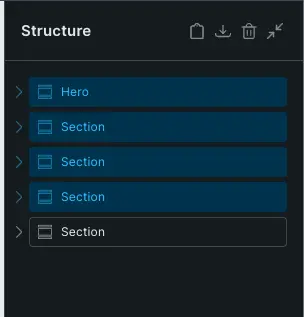
Command Palette
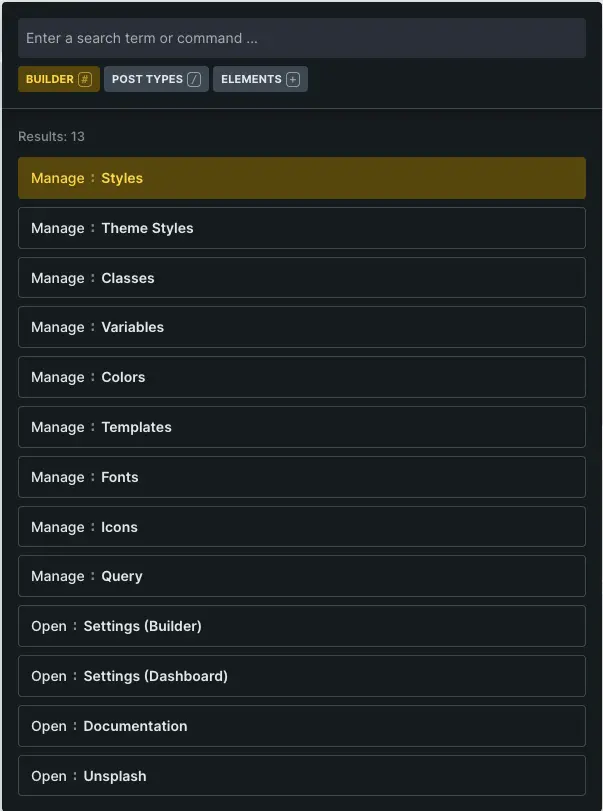
Bricks has a built-in Command Palette, accessible with CMD + K (or CTRL + K on Windows). From there you can search for elements, navigate to pages, switch templates, or trigger builder actions — all without touching the mouse.
Element Conditions
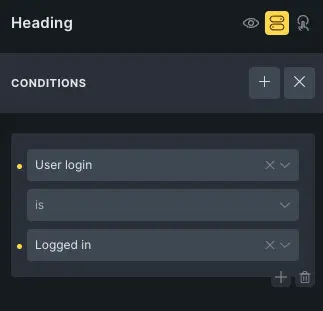
Bricks has a built-in Element Conditions feature that lets you show or hide any element on the page based on specific rules — no plugin needed. You can define conditions based on user role, post type, date, dynamic data, and much more. You can even combine multiple conditions with AND/OR logic for very precise control.
This is especially useful for dynamic sites where different content should be visible for different users or contexts — for example, showing a banner only to logged-out users, or displaying a section only on posts within a specific category. It’s a feature that in other builders often requires a third-party plugin.
Full Code Control — No Artificial Limits
This is where Bricks really separates itself from the crowd. In most page builders, you hit walls quickly:
- Can’t use a custom HTML tag? Stuck with a
<div>. - Want to use
clamp()for font sizes? Not supported. - Need
dvhinstead ofvh? Too bad.
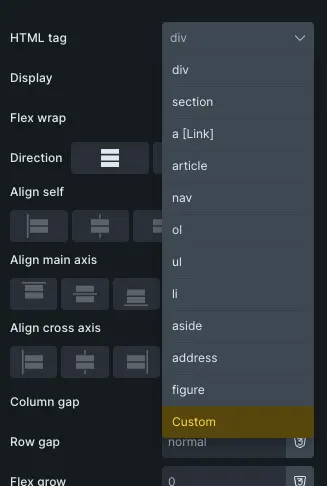
Bricks removes these limitations. You can set any HTML tag on any element — section, article, main, header, whatever makes semantic sense. You can input any CSS unit without restriction: rem, em, vw, clamp(), dvh, ch — all fair game. This level of control is simply not available in most page builders, and it makes a massive difference for developers who care about code quality. And since you’re working with proper semantic HTML, it also benefits accessibility — something that’s becoming increasingly important in modern web development.
Important
Most page builders limit which CSS units or HTML tags you can use. Bricks has none of these restrictions — but it also means you need to know what you’re doing
It’s Not a Beginner Tool — And That’s Fine
Let’s be clear: Bricks Builder is not for everyone, and it doesn’t pretend to be.
If you’re looking for something where you drag in a pre-built section, swap out some text, and call it a day — this is not your tool. Bricks requires you to understand HTML and CSS. You need to know what Flexbox does, why semantic HTML matters, how classes work, and how to think in terms of layouts rather than widgets.
But that’s exactly the point. Bricks gives you more power because it demands more knowledge. You’re not fighting the tool to get a custom layout to work. You’re building exactly what you want, the way you want it. The trade-off is clear: more learning upfront, more freedom and control in return.
Fewer Templates — More Creative Freedom
Most page builders compete on the size of their template library. Hundreds of pre-made designs, starter sites, section templates. Bricks takes a more restrained approach — the template library is smaller and more curated.
Some see this as a weakness. We see it as a feature.
When you’re not overwhelmed by hundreds of templates pulling you in different directions, you’re more likely to build something custom and unique. Combined with Bricks’ powerful layout tools, you have everything you need to design something that doesn’t look like every other WordPress site on the internet.
Verdict
Bricks Builder is the most capable WordPress page builder available today for developers and advanced users. It’s ahead of the competition in almost every technical dimension — clean code output, real CSS control, flexible layouts, and powerful features like Query Loops and Components. The fact that competitors are only now introducing features Bricks has had for years speaks volumes.
Is it perfect? No. The learning curve is real, and if you’re not comfortable with HTML and CSS, you’ll struggle. But if you know your way around a stylesheet, Bricks Builder is the tool you’ve been waiting for.
- Bricks Builder is already ahead of the competition — features like Flexbox, CSS Grid, and class-based styling are built-in since day one
- The generated HTML/CSS code is clean and lean — no bloat, no unnecessary wrappers
- Bricks gives you full control: custom tags, CSS units, Query Loops, Components, and more
- It’s not a beginner tool — you need solid HTML/CSS knowledge to get the most out of it
- Less template noise, more creative freedom — a great fit for developers who want to build custom
Final Review
Bricks Builder
4.5 out of 5 starsPros
- Clean, semantic DOM output
- Excellent performance scores
- Good accessibility out of the box
- More advanced than most page builders — ideal for developer-minded creators
- One-time license fee
Cons
- Few templates available
- Steep learning curve