What Is Instant Navigation?
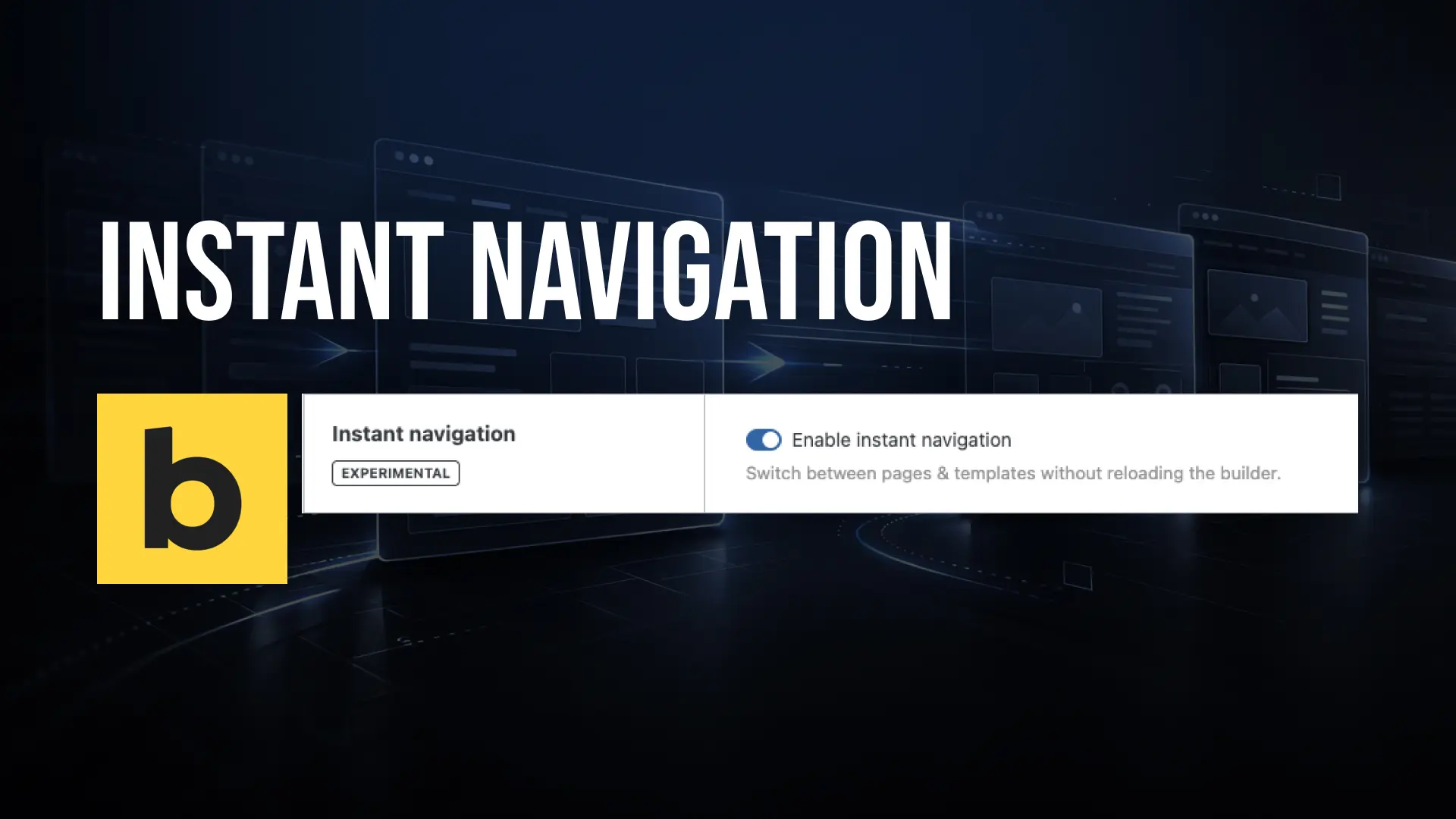
Instant Navigation is a new experimental feature in Bricks Builder that lets you switch between pages and templates directly inside the builder, without a full page reload. The builder interface stays intact, and you’re on the next page in a fraction of the time.
It uses AJAX-based navigation under the hood, which means the builder state is maintained during the transition. No loading screens, no waiting.
Good to Know
Instant Navigation is currently marked as experimental in Bricks. It works great for most setups, but may not be compatible with all configurations. Test it on your setup before relying on it for client work.
How to Enable It
You can enable Instant Navigation under Bricks → Settings → Builder. It’s opt-in, so it won’t affect your existing workflow until you turn it on.

The Command Palette Makes It Even Better
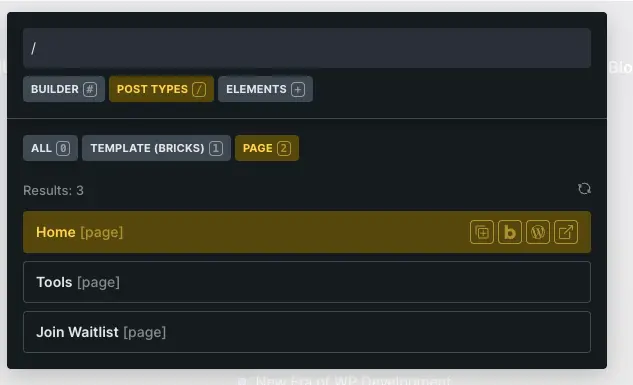
Instant Navigation pairs perfectly with the Bricks Command Palette. Open it with CMD/CTRL + K from anywhere inside the builder, switch to the Post Types scope by typing /, and you can search and jump to any page or template instantly.
This combination turns what used to be a multi-step process into a single keyboard shortcut. For anyone working on sites with many pages or complex template setups, this alone is a significant workflow improvement.
Why It Matters
Small things add up. If you’re switching between pages dozens of times during a build session, those full builder reloads cost real time. Instant Navigation removes that friction and keeps you in flow.
It’s the kind of quality-of-life feature that doesn’t sound exciting on paper but makes a noticeable difference the moment you start using it.
- Instant Navigation lets you switch between pages and templates in Bricks without a full builder reload
- It’s opt-in and currently experimental — enable it under Bricks → Settings → Builder
- Pair it with the Command Palette (CMD/CTRL + K) for the fastest possible page switching workflow
- Type / in the Command Palette to switch to the Post Types scope and search any page or template instantly